Safely Encode and Decode HTML Entities
Safely encode and decode HTML entities, CSS escapes, and JS Unicode offline. Perfect for web developers displaying code snippets securely without breaking layouts.
Table of Contents
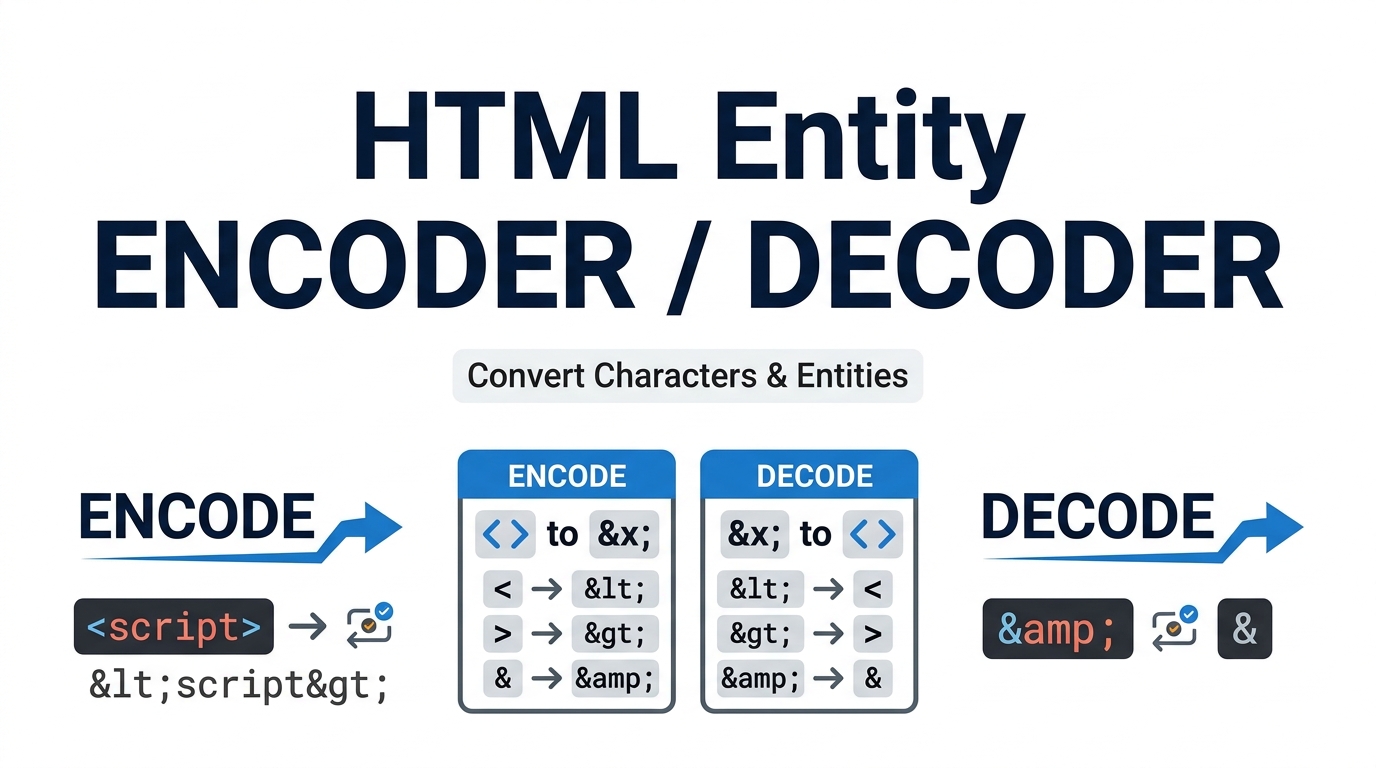
Trying to show a literal angle bracket or ampersand on a page without the browser treating it as markup? Convert characters to their HTML entities so they display as text, or decode entities back to plain characters. Handy when you are pasting code samples into an article.
⌨️ Entity & Escape Studio Pro
Convert, inspect and clean HTML entities, CSS/JS escapes and invisible Unicode characters — all in your browser.
| Char | Name | Code | Dec | UTF-8 | HTML | CSS | JS |
|---|
Emoji and other astral characters are shown as one row, not as two broken halves.
What we found
Highlighted preview
Fixes to apply
| Char | Named | Number | Hex | Description |
|---|
Click any entity code to copy it.
When you need this
If you publish a code snippet on a web page without escaping it, the browser reads Which format to pick
break XML parsers.content: "" rule.Related tools
Instantly scans your text strings to identify and convert reserved syntax into safe, universally compatible structural code.
Seamlessly toggles between securing raw inputs and reversing previously sanitized data back into human-readable formats.
Neutralizes malicious script injections by mathematically escaping sensitive symbols before they render in the DOM.
Paste your raw text, source code snippets, or unformatted strings directly into the primary HTML Entity Encoder input field.
Choose your algorithmic action. Select ‘Encode’ to secure reserved symbols or ‘Decode’ to revert an already sanitized string.
The internal processor immediately intercepts your logic, translating the characters via local client-side memory execution.
Review the translated output and click the copy button to safely integrate the validated code directly into your stylesheet or markup.
Last Updated: August 2026
🔴 What Each Tab Actually Does
This page started life as a plain html entity encoder with four output formats. It now carries four tabs, because in practice the encoding job and the “why is my pasted code broken” job turn up in the same ten minutes of work. Here is what each tab is for and when to reach for it.
Convert — nine escape formats
Paste text on the left, pick a format, read the result on the right. The conversion runs on every keystroke, so there is no button to press. Switch the Encode / Decode toggle to run it backwards.
A real example. Drop this line into the input with HTML Entities — essential characters selected:
<p class="note">Price: 12 & rising</p>
and you get back:
<p class="note">Price: 12 & rising</p>
Drop that output into a page and the reader sees the tag, rather than the browser rendering an empty paragraph. That is the whole point.
Inspector — one row per character
Paste anything and every character gets a row: its Unicode name, its codepoint, its decimal value, its UTF-8 byte sequence, and its HTML, CSS and JavaScript escapes side by side. Type a single emoji and you get one row, not two broken halves — the table walks codepoints rather than JavaScript string units, so 😀 is reported correctly as U+1F600 with four UTF-8 bytes.
The byte column is the one people find useful unexpectedly. A database column set to 20 bytes holds 20 plain Latin letters, but only 6 emoji. If a field keeps truncating, check the byte count here before blaming the database.
Cleaner — the invisible character scanner
This is the tab worth bookmarking. Paste text copied from Word, Google Docs, a PDF or a chat window, and the scanner counts what is hiding inside it: zero-width spaces, byte order marks, non-breaking spaces, curly quotes, en and em dashes, and bidirectional override marks. The preview marks every one of them so you can see exactly where they sit.
Then tick the fixes you want and press Clean Text. Each fix is separate, because sometimes you want the curly quotes gone but the em dashes kept — an editor cleaning prose has the opposite preference to a developer cleaning a code snippet.
Cheat Sheet — 130+ entities, searchable
Filter by category or search by name, description or number. Typing 8364 finds the euro sign, arrow returns the arrow block, and alpha jumps to Greek. Click any code to copy it.
🟡 Three Jobs This Page Handles Well
🔵 Publishing a code snippet in a blog post or CMS. Run it through Convert with HTML essential characters. Without that step, a WordPress editor swallows your markup and the reader sees a rendered box instead of the code you meant to show.
🟠 Fixing a script that fails on a line that looks perfect. Paste the failing line into Cleaner. Nine times out of ten it is a non-breaking space where a normal space should be, or a curly apostrophe that arrived with the copy. Both are invisible in most editors and both stop the parser dead.
🟣 Working out why a character renders as a box. Put it in Inspector, read the codepoint, and you know whether the data is wrong or the font simply has no glyph for it. Those two problems have completely different fixes, and the codepoint tells you which one you have.
🟢 Mistakes and Limits Worth Knowing
Escaping is not the same as sanitising
Encoding output before it reaches a page is a sound habit. Decoding untrusted input is not a security control, and this tool is not a filter for hostile markup. If you are handling user-submitted content on a live site, escape at the point of output in your own code — do not paste user input through a browser tool and treat the result as safe.
Each format belongs to one context
Named entities like are defined by HTML, not by XML. Paste them into an RSS feed, an SVG file or a raw XML document and the parser throws an undefined-entity error. XML defines exactly five: <, >, &, " and '. That is why the XML option in the format list exists as its own entry, and it is the one to pick whenever the destination is not an HTML page.
What this page deliberately does not do
🔵 Percent-encoding. If you need %3C and %20 for a URL or query string, that lives in the Universal URL Encoder & Decoder. Percent-encoding and HTML entities solve different problems and mixing them produces double-encoded strings that display as literal &lt; on the page.
🟠 Base64. That belongs in the Base64 Encoder / Decoder. Base64 makes binary data safe to transport as text; entities make reserved characters safe to display. Different jobs.
🟣 Bulk find and replace across many files. The Cleaner works on whatever you paste into it. For a pattern-driven sweep across a large body of text, the Regex Tester & Debugger is the better fit.
Performance ceilings, honestly stated
The Inspector renders the first 400 characters and tells you when it has truncated, because a table with fifty thousand rows locks up the tab on a mid-range phone. The Cleaner highlights the first 3,000 characters in its preview, though the count and the actual cleaning run over the whole input. Convert has no practical limit short of the browser’s own memory, but pasting a multi-megabyte file into any browser textarea will feel slow no matter which site you are on.
🔴 Where to Go Next
If you want the reasoning underneath all of this — how Unicode codepoints differ from UTF-8 bytes, why the HTML parser needs entities at all, and how invisible characters became a genuine software supply-chain problem — that is covered in the companion piece: HTML Entity Encoder & Decoder: the complete guide.
The formal definition of the named character references lives in the WHATWG HTML specification, and MDN’s character reference glossary is the friendlier read of the two.
❓ Frequently Asked Questions
Is my text sent anywhere when I use this?
No. Every conversion runs in JavaScript inside your own tab. Open DevTools, switch to the Network panel and encode something — there is no request to watch, because none is made.
Which format should I pick for a blog post?
HTML Entities — essential characters. It escapes the reserved characters and leaves ordinary text readable, so the source stays easy to scan later.
Why did my code break after pasting from Google Docs?
Almost certainly a non-breaking space or a curly quote. Both look identical to their plain versions in most editors. Run the line through the Cleaner tab and the count appears immediately.
What is a zero-width space and why should I care?
A character with no visible width at all. It survives copy and paste, hides inside CSS class names and filenames, and produces selectors or comparisons that look right but never match.
Can I decode entities back to normal text?
Yes. Switch the toggle to Decode. Named entities, decimal references like € and hex references like 😀 are all handled, including emoji.
Does it handle emoji and non-Latin scripts properly?
Yes. The engine walks codepoints rather than string units, so emoji, Chinese, Sinhala and other scripts survive a full encode and decode round trip unchanged.
What is the difference between this and URL encoding?
Entities make reserved characters safe to display in markup. Percent-encoding makes characters safe inside a URL. Applying the wrong one gives you visible %3C in body text or broken links.
Why does the Inspector stop at 400 characters?
A per-character table grows fast, and rendering tens of thousands of rows freezes the tab on a phone. The table says when it has truncated so the limit is never silent.
Are named entities safe to use in XML or SVG?
Only five are: lt, gt, amp, quot and apos. Anything else, including , throws an undefined-entity error. Pick the XML format for those destinations.