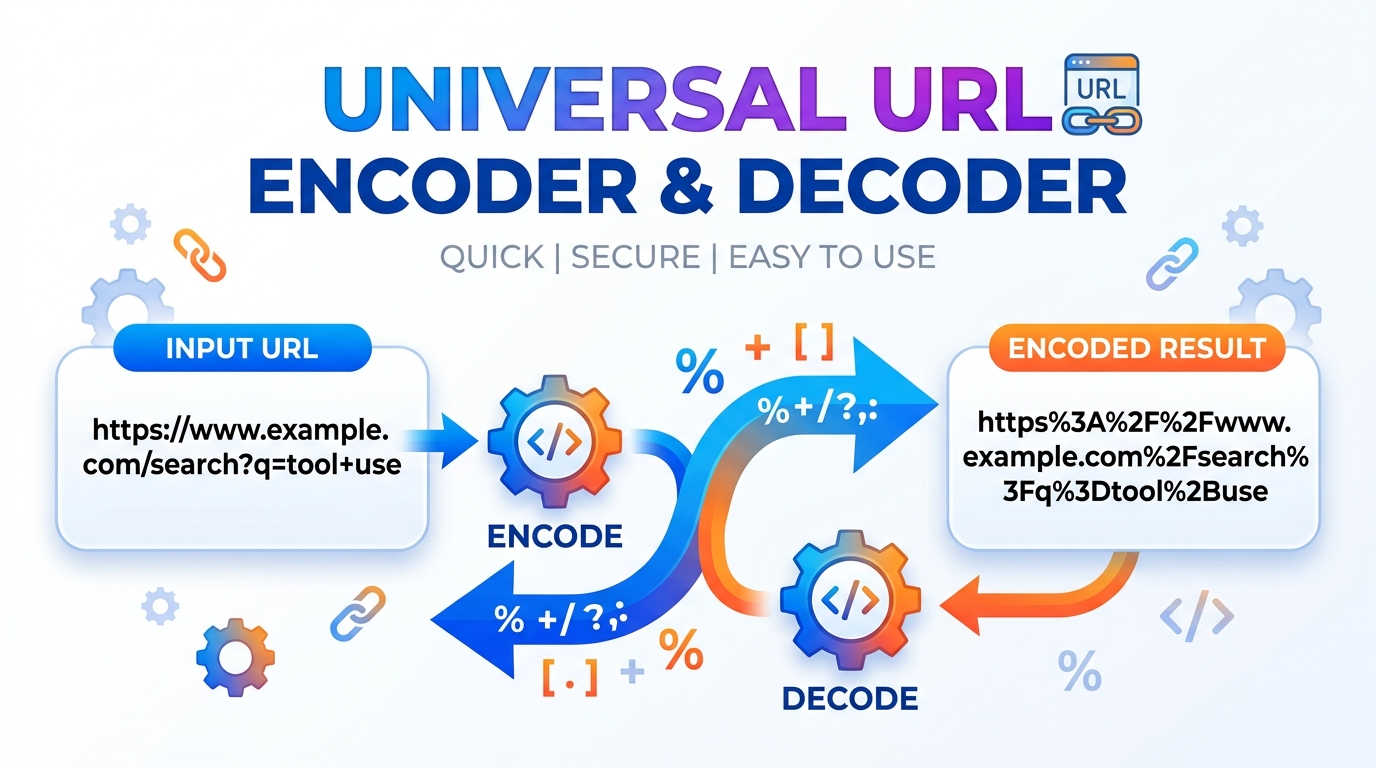
Make Any String Web-Safe — Precise URL encoding and decoding for web developers and API integration.
Securely encode and decode URLs and text completely offline. Features live text-to-URL conversion, RFC 3986 strict mode, and real-time byte size calculations.Installation Guide
Table of Contents
Building a link with spaces or special characters and it keeps breaking? Paste your text to percent-encode it for safe use in a URL, or decode an encoded string back into readable form. Useful when you are assembling query parameters by hand or reading an encoded redirect.
URL Studio Pro
Encode and decode URLs four different ways, parse components, build query strings, tag UTM campaigns, generate slugs, and inspect links for encoding tricks and homograph attacks. 100% offline.
| Enter a full URL, including the protocol. |
| Key | Decoded Value |
|---|---|
| No query parameters found. | |
key=, which is a valid and meaningful distinction from omitting it entirely.| Length | 0 chars |
| Words | 0 |
| Accents transliterated | 0 |
Which Encoder?
encodeURIComponent — for a single value going inside a query string. Escapes / ? : @ & =.encodeURI — for a whole URL. Leaves / ? : # & = intact so the URL still works.RFC 3986 — strictest. Also escapes ! ' ( ) *, which encodeURIComponent leaves alone. Use when a strict parser is on the other end.Form — space becomes +, not %20. Only for application/x-www-form-urlencoded bodies.Reserved Characters
| Char | Encoded |
|---|---|
| space | %20 or + |
| & | %26 |
| = | %3D |
| ? | %3F |
| # | %23 |
| / | %2F |
| + | %2B |
| % | %25 |
UTM Conventions
source = where it came from (google, newsletter).
medium = how (cpc, email, social).
campaign = which push (spring_sale).
Always lowercase. Analytics treats Email and email as two separate sources, which silently splits your reporting in half.
Four Encoders, Not One
Most tools give you a single Encode button and leave you to discover the hard way that it mangled your URL. This one exposes all four: encodeURIComponent, encodeURI, strict RFC 3986, and form encoding where a space becomes a plus sign. Each has a plain-English note explaining exactly when it is the right choice and when it will break things.
Build Links, Not Just Read Them
The Query Builder lets you add, edit and delete parameters in a table and rebuilds the URL as you type, encoding keys and values correctly. The UTM Builder does the same for campaign tags, warns when a required field is missing, and forces lowercase — because analytics tools treat Email and email as two different sources and quietly split your reporting in half.
A Link Inspector That Decodes Punycode
Paste a suspicious link and the inspector decodes the hostname, flags the @ credential trick, spots double percent-encoding, and detects homograph domains — Cyrillic letters dressed up as Latin ones. It runs entirely in your browser and never contacts the link, so it reads the structure rather than pretending to judge the site.
How to Use URL Studio Pro
Pick the Job
Six tabs: encode and decode, parse a URL apart, build a query string, tag a campaign, make a slug, or inspect a suspicious link. Load Sample fills every tab with a worked example at once.
Choose the Right Mode
In Encode, the four mode buttons change the result. Read the note underneath before picking — using encodeURIComponent on a whole URL is the single most common mistake in this area.
Work Live
Everything updates as you type. Send Output to Input flips the direction so you can round-trip a value and confirm it survives encoding and decoding unchanged.
Copy and Go
Every tab has a copy button. In Query Builder you can also import the parameters straight from whatever URL you pasted into the Parser tab, then edit them.
Last updated: August 2026
🔴 encodeURI or encodeURIComponent? Get This Wrong and Your URL Breaks
This is the mistake that fills Stack Overflow. Both functions percent-encode a string. They escape different characters, and picking the wrong one produces either a broken URL or a security hole.
Take https://example.com/search?q=hello world. Run it through encodeURI and you get https://example.com/search?q=hello%20world — the space is fixed and the structure survives, because encodeURI deliberately leaves : / ? # & = alone. Run the same string through encodeURIComponent and you get https%3A%2F%2Fexample.com%2Fsearch%3Fq%3Dhello%20world. The colons, slashes and question mark are all escaped, and the result is no longer a URL at all — it is a single opaque string.
The rule is simple once you see it: encodeURI is for a whole URL. encodeURIComponent is for one value going inside a URL. If you are building ?q= plus some user input, that input is a component — encode it with encodeURIComponent, or a user typing a&b=c will inject an extra parameter into your query string. If you have a complete URL that just contains a space or an accented character, encodeURI is what you want.
🟢 And the Two Nobody Mentions
RFC 3986 strict exists because JavaScript’s built-in encodeURIComponent is not actually fully compliant with the spec. It leaves ! ' ( ) * unencoded. Ninety-nine percent of the time nobody notices. The exception is when a strict server-side parser, an OAuth signature, or an AWS request signature is on the receiving end — those compute a hash over the encoded string, and a single unescaped bracket produces a signature mismatch and a baffling 403. The strict mode here escapes those five characters too.
Form encoding is the one that turns a space into + instead of %20. This is what an HTML form actually submits, and it is correct only for an application/x-www-form-urlencoded request body. Use it in a normal URL path and the + stays a literal plus sign rather than becoming a space, which is exactly the kind of bug that takes an afternoon to find.
🟡 The Double-Encoding Trap
Encode a string twice and you get nonsense. A space becomes %20. Encode that again and the % itself gets escaped, giving %2520. Now anything that decodes it once sees the literal text %20 rather than a space, and the value is quietly wrong.
This happens constantly in real systems. A frontend encodes a parameter, an API gateway encodes the whole URL again on the way through, and the backend receives %2520. The usual symptom is a search that returns nothing for a query containing a space, or a redirect that lands on a 404 with a strange-looking path. If you ever see %25 in a URL that you did not deliberately put there, something in the chain has encoded an already-encoded string.
There is a security dimension too, which is why the Link Inspector flags it. A filter that blocks ../ will happily pass %252e%252e%252f. It decodes once, sees %2e%2e%2f, decides that is harmless, and passes it on — and something downstream decodes it a second time into a directory traversal. Double-decode anything you receive before you validate it, not after.
🔴 The Domain That Looks Exactly Like Another Domain
Domain names can only contain ASCII. To support non-Latin scripts, the internet uses Punycode: an encoding that turns a Unicode name into an ASCII string beginning with xn--. Your browser then displays the decoded version. This is genuinely useful — it is how domains in Sinhala, Arabic and Chinese work at all.
It also enables the homograph attack. Cyrillic а (U+0430) and Latin a (U+0061) are different characters that render almost identically in most fonts. Register a domain using the Cyrillic one and you get a name that is visually indistinguishable from the real thing but is a completely different domain, owned by someone else. The classic demonstration is xn--80ak6aa92e.com, which browsers once rendered as something a person would read as “apple.com” without hesitation.
The Link Inspector decodes any xn-- label and then checks which writing systems the result actually uses. A name mixing Cyrillic and Latin characters in a single label is flagged, because legitimate domains do not do that — a real German or Spanish domain is entirely Latin, and a real Russian one is entirely Cyrillic. Mixed scripts inside one label is the signature of a lookalike. Browsers now apply similar rules and often display the raw punycode when they see mixed scripts, but not always, and not on every platform.
🟢 The Other Disguises It Catches
- 🔵 The @ trick. In
https://google.com@evil.com/login, everything before the@is a username, not the destination. You are going to evil.com. The familiar name is decoration. - 🟠 Subdomain padding. In
paypal.com.secure-login.example.net, the registrable domain isexample.net— the last two labels. Everything before it is a subdomain the attacker controls and can name anything they like. - 🟣 Open redirects. A parameter like
?next=https://evil.commeans the link starts on a domain you trust and bounces you somewhere you do not. The starting domain is real, which is precisely what makes it effective.
One honest limitation, stated plainly in the tool as well: this is structural analysis. It runs in your browser and never contacts the link, because doing so would require a network request and break the offline guarantee. It cannot follow redirects, check a blocklist, or scan a page. A clean result means no disguise tricks were found in the string — not that the destination is safe.
🟡 UTM Tags and Slugs: The Boring Details That Matter
UTM parameters tell your analytics where a visitor came from. Three are effectively required: source (where — google, newsletter), medium (how — cpc, email, social), and campaign (which push — spring_sale_2026). Two are optional: term for a paid keyword and content for distinguishing A/B variants of the same ad.
The mistake that ruins reporting is capitalisation. Analytics platforms are case-sensitive on these values, so Email, email and EMAIL become three separate sources in your dashboard, each showing a third of the real traffic. Nothing errors, nothing warns you, and the numbers are simply wrong. The builder here forces lowercase by default for that reason, and you can turn it off if you have a specific reason to.
Slugs have their own small traps. Accented characters need transliterating rather than encoding — café should become cafe, not caf%C3%A9, which is technically valid but hideous in a search result. Apostrophes should vanish rather than becoming separators, so website's gives websites and not website-s. And a length cap must break at a word boundary, because truncating mid-word produces a slug ending in a fragment. The generator here handles all three. For the page’s title tag, description and search snippet, use the SEO Meta Tags Generator — that is a different job from tagging the link that points at the page.
Which encoder should I use for a query parameter value?
encodeURIComponent. It escapes & and =, which is exactly what you need — otherwise a user typing a&b=c injects an extra parameter into your query string. Never use encodeURI for a value; it leaves those characters intact.
Why is my space showing as + instead of %20?
Something used form encoding. The + for space convention belongs to application/x-www-form-urlencoded request bodies, not to URLs generally. In a path segment, + stays a literal plus sign — which is a common and confusing bug.
What does %2520 mean?
It is a double-encoded space. %20 got encoded a second time, turning its % into %25. It usually means two layers of your stack are both encoding the same value. Decode twice to see the original.
Why does RFC 3986 strict mode exist if encodeURIComponent works?
Because encodeURIComponent leaves ! ' ( ) * unescaped, which is not fully spec-compliant. This only matters when a strict parser or a request signature (OAuth, AWS) hashes the encoded string — then one unescaped bracket causes a signature mismatch and a 403 that is very hard to diagnose.
Can the Link Inspector tell me if a site is malicious?
No, and it says so plainly. It runs offline and never contacts the link, so it analyses the URL string for disguise techniques — punycode homographs, the @ trick, double encoding, open redirects. A clean result means no tricks were found, not that the destination is safe.
What is punycode and why does xn-- appear in domains?
Domain names must be ASCII, so Unicode names are encoded into an ASCII form starting with xn--. Your browser decodes and displays the real name. It is legitimate and necessary — but also how lookalike domains built from Cyrillic characters are registered.
Do UTM tags need to be lowercase?
Effectively yes. Analytics platforms are case-sensitive on these values, so Email and email appear as two separate sources and split your traffic across two rows. Nothing warns you — the numbers just quietly become wrong.
Is my input sent anywhere?
No. Every tab runs as plain JavaScript in your browser, with no network requests after the page loads. That matters here, because URLs routinely contain API keys, session tokens and internal hostnames you should not paste into a random web form.